If you’re on Instagram, TikTok, or any platform that hands you just one clickable link, you already know how it goes. You’ve got a shop, a new video, a booking page, maybe a newsletter—but you can only share one. So you’re either swapping links every few days or dropping URLs in captions where they barely get noticed.
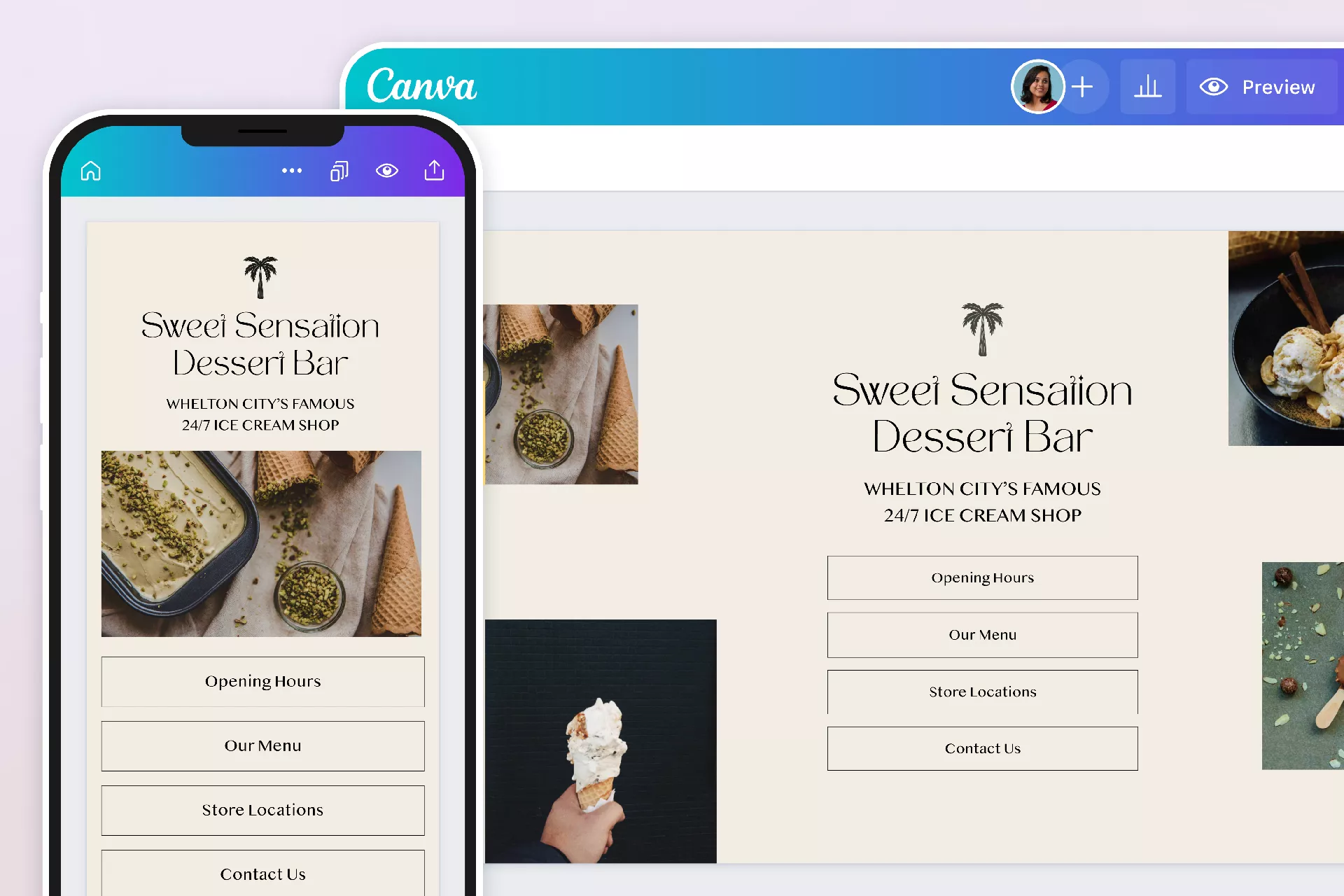
A Canva link in bio page changes that. Instead of sending people to a single spot, you build a simple landing page that holds everything. And unlike most link-in-bio tools that make everyone’s page look the same, Canva lets you create something that actually feels like you.
Why Most Link-in-Bio Pages Miss the Mark
Most tools give you a stack of buttons on a plain background. It gets the job done, but it doesn’t leave an impression. When someone taps your bio link, you have maybe a couple seconds to earn their click. If your page looks like everyone else’s, people click away just as fast as they arrived.
With a Canva link in bio page, you’re in control. You can use your actual brand colors, upload your logo, pick custom fonts, add images, even throw in a little animation. It’s not just a list of links—it’s a reflection of your brand. And that builds trust fast. When someone lands on a page that clearly had thought put into it, they’re far more likely to stick around and tap through.
How to Build a Canva Link in Bio Page
Pick a Layout That Works on Phones
Open Canva and search “link in bio.” You’ll find a bunch of templates built specifically for this. Look for ones that are clearly mobile-friendly—because almost all your traffic will come from a phone screen. If you’d rather start from scratch, set your dimensions to around 1080 x 1920 pixels. That’s roughly the size of a standard phone screen.
Design for Thumbs, Not Essays
Keep it clean. A profile photo or logo at the top, a short bio line, then your links. Each link should be a clear button or tap target. Skip the long paragraphs—people scroll fast, they don’t read. Label your links with language that tells people exactly what they’re getting. “Shop the latest drop” will always get more taps than a plain “Website.”
Plug in Your Links
Tap any button or text box, hit the link icon in the toolbar, and paste your URL. Canva lets you link to external sites, email addresses, or even different pages inside your own design. One thing to keep in mind: each element only holds one link, so map out your layout before you start.
Publish and Grab Your URL
When you’re happy with the design, click “Publish as Website” in the top right. Canva gives you a free my.canva.site URL. Drop that into your social media bios and you’re live. If you have a custom domain, you can connect it—but the free link works just fine for most creators and small businesses.
What to Put on Your Page
Cramming too many links onto one page backfires. Stick to three to five, and put your most important one at the top.
Here’s what people usually include:
Online store or product page
Booking or appointment link
Latest YouTube video or podcast episode
Free resource like a checklist or guide
Newsletter sign-up
Affiliate products or tools you actually use
If you’re running a sale or launching something new, rotate those links in. A page that never changes starts to feel abandoned. Swapping things out regularly tells followers there’s always something fresh waiting.
Track Your Clicks with Biovelt
Great design gets people to your page. But knowing what they actually tap? That’s how you figure out what’s working.
Most link-in-bio tools lock analytics behind paid plans. Biovelt does the opposite. It’s completely free—no catch—and lets you add unlimited links while tracking every single click. You can see exactly how many people tap each button, update links in real time, and never pay a cent. Pair it with your Canva link in bio page and you’ve got a setup that’s both custom and trackable.
If you prefer sticking with Canva alone, you can still track performance by adding UTM parameters to your links and watching them through Google Analytics. It works, but it takes a bit more work.
The Bottom Line
Your bio link is one of the few spots on social media where you can actually send people where you want them to go. Making it count is worth the effort.
A Canva link in bio page gives you the freedom to design something that truly reflects your brand. It’s not just functional—it’s a chance to make a strong first impression. And when you pair that custom design with a free tool like Biovelt that tracks your clicks and lets you update links on the fly, you stop guessing and start growing.
Open Canva, grab a template, and build something that turns your bio into a destination people actually want to tap.
Mar 27, 2026