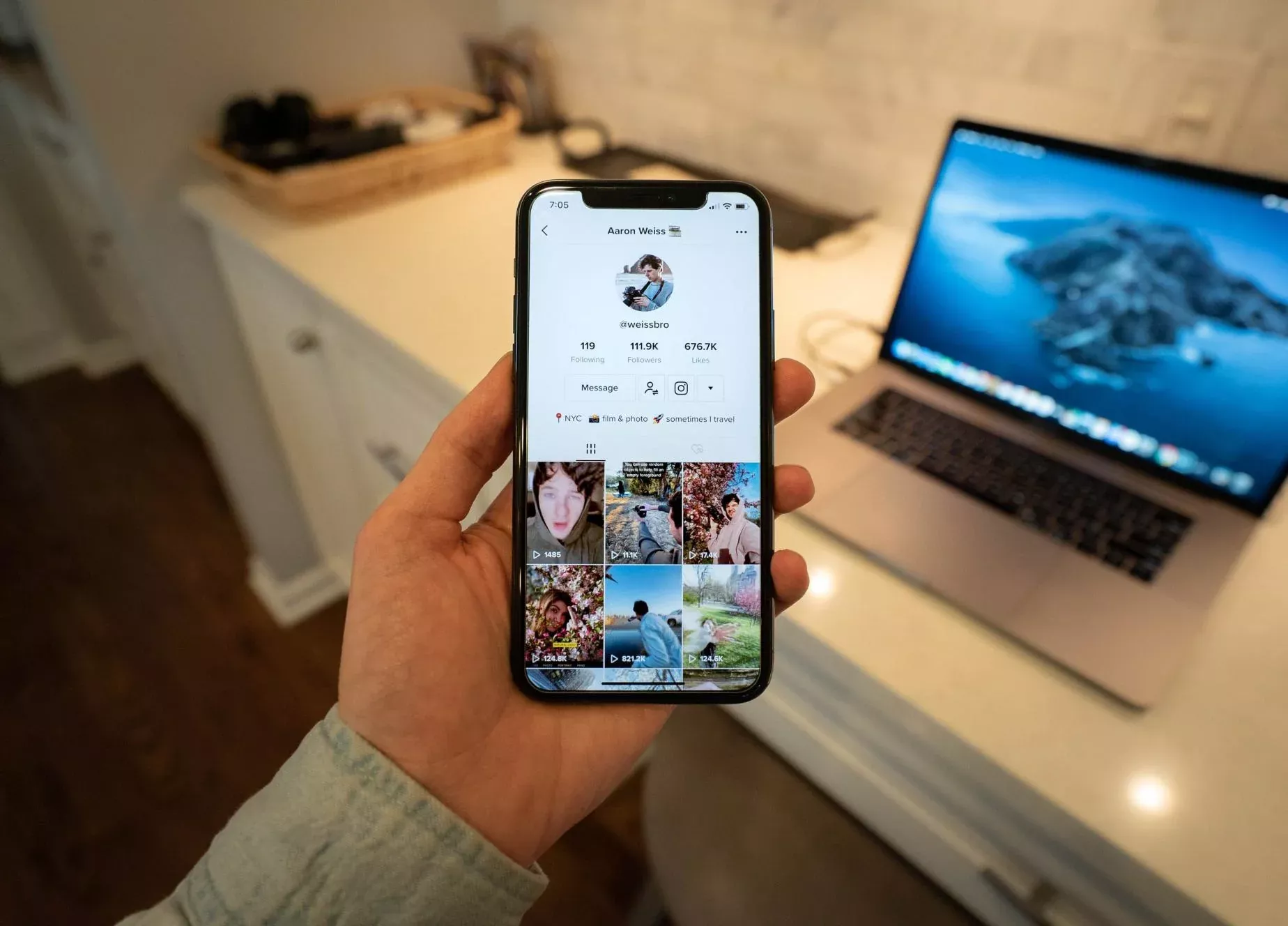
If you’ve ever watched a TikTok video and heard a creator say “link in bio,” you know the feeling. You rush to their profile, scroll down… and see nothing. No blue link. No clickable URL. Just empty space.
You’re not alone. Thousands of users search how to find link in bio on TikTok every single day. The good news is that the link is usually there—you just need to know where to look.
In this guide, you’ll learn exactly how to find link in bio on TikTok step by step, why links sometimes disappear, and how creators can fix this problem permanently using tools like Biovelt.
Why Finding a Link in TikTok Bio Is Not Always Obvious
Unlike Instagram or YouTube, TikTok does not give every account a clickable link by default. When a creator says “link in bio,” they might mean one of two things:
A blue underlined clickable URL
A plain text link that you must copy manually
Both options live in the same area—right below the username on the profile page. However, what you see depends entirely on the creator’s account type, follower count, and regional settings. That’s why understanding how to find link in bio on TikTok requires a little inside knowledge.
How to Find Link in Bio on TikTok: Step-by-Step Instructions
Let’s walk through the exact process. Follow these steps to locate any bio link in under 30 seconds.
Step 1: Open the Creator’s Profile
Open the TikTok app on your mobile device. Desktop browsers often hide bio links, so always use the mobile app for best results. Tap the creator’s profile picture or username from the For You Page (FYP) to go to their profile.
Step 2: Check the Bio Section
Once on the profile, look directly under the name and @username. You are looking for:
A blue underlined URL → Tap it. It opens directly in TikTok’s built-in browser.
A “Link” text with a chain icon → Tap it. This is common on Business accounts.
Plain white text that looks like a website → This is not clickable. Tap and hold (or double-tap) to copy it, then paste it into your browser.
Step 3: Look for “View Shop” or Other Buttons
Sometimes what you’re looking for is not a traditional link. If the creator has a TikTok Shop, you may see a “View Shop” button above their video grid. That is their active link.
If you still see nothing after these steps, don’t blame the creator yet. Technical issues on TikTok’s side are more common than you think.
Why You Can’t See the Bio Link (Even When It Should Be There)
You now know how to find link in bio on TikTok, but what if the link simply isn’t visible? Here are the most common reasons.
1. The Creator Has a Personal Account Under 1,000 Followers
TikTok does not allow clickable links for Personal accounts with fewer than 1,000 followers. The creator can type a URL into their bio as plain text, but it won’t be blue or clickable. You must copy and paste it manually.
2. The Creator Linked Lemon8 or Instagram
This is a known 2026 glitch. When a creator links their Lemon8 or Instagram account to TikTok, the main website field sometimes disappears to make room for a Lemon8 shortcut button. The fix? The creator must unlink those accounts to restore the website field.
3. Regional Restrictions
TikTok restricts external links in certain countries for safety and compliance reasons. If you are traveling or the creator is in a restricted region, the link field will simply vanish.
4. App Cache Glitch
Sometimes your TikTok app is the problem. If you know a creator has a link but you can’t see it:
Force close the app
Update TikTok from the App Store or Google Play
Log out and log back in
For Creators: How to Add a Clickable Link to Your TikTok Bio
Maybe you’re not just trying to find a link—maybe you want to add one to your own profile. Here’s how.
The Requirements
1,000+ followers on a Personal/Creator account, OR
Any Business Account (no followers required)
Step-by-Step Setup
Go to your Profile.
Tap Edit profile.
Scroll to the Website field.
Paste your URL (e.g., https://yourwebsite.com).
Tap Save.
If You Have Under 1,000 Followers and Don’t Want a Business Account
You have one option: type your link as plain text in the Bio field. Since it won’t be clickable, use a short, memorable URL and tell your viewers to copy and paste it into their browser.
Why a Single Link Is a Terrible Strategy (And What to Use Instead)
Even after mastering how to find link in bio on TikTok, having only one link is a missed opportunity. A single URL forces you to choose: your YouTube, your store, your newsletter, or your Instagram. Everything else gets ignored.
That’s why smart creators use a link-in-bio tool—a single landing page that holds unlimited links to everything they want to share.
Meet Biovelt: The Free Link-in-Bio Tool That Fixes the Problem
Biovelt is a completely free link-in-bio tool designed for creators who are tired of limited links and monthly fees. With Biovelt, you can:
Add unlimited links to your bio
Track exactly who clicks on what
Create a clean, mobile-friendly landing page
Update links in real time without editing your TikTok bio
Instead of making your audience struggle to figure out how to find link in bio on TikTok, you give them one simple destination that has everything. Biovelt turns a confusing bio into a powerful traffic hub.
Conclusion
You now have a complete answer to how to find link in bio on TikTok. Most of the time, the link is hiding in plain sight—you just need to know whether to tap (blue text), copy (white text), or troubleshoot (missing).
For viewers: If the text is white, copy it. If it’s blue, tap it. If nothing is there, the creator likely has under 1,000 followers or a region block.
For creators: Stop relying on a single raw URL. Switch to Biovelt today. It’s free, unlimited, and gives your audience everything in one place. No more “link in bio” confusion. No more lost traffic.
Now you know exactly how to find link in bio on TikTok—every single time, on any account.
May 06, 2026