Piše: Rasim Belko
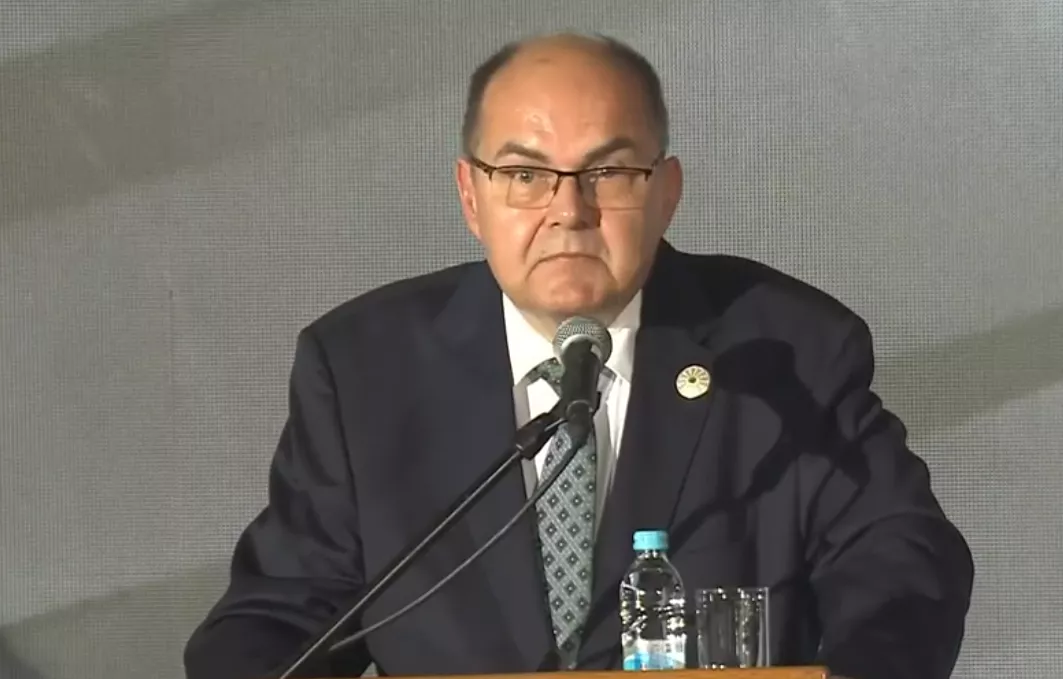
Na pitanje ko se boji Schmidta još, odgovor je prilično jednostavan - samo se još Bošnjak boji visokog predstavnika Christiana Schmidta.
Jer, Hrvati, u Zagrebu i Mostaru, Schmidta su “završili” i prije nego je kročio na teritoriju Bosne i Hercegovine, pa su nakon toga dobili instancu koja umjesto provođenja Dejtona provodi aparthejd pretvarajući manjinsku hrvatsku politiku u vođe aparthejd institucija. Istovremeno je Schmidt poništio Bošnjake kao konstutitivne i kao građane, pa iako ih ima najviše u državi oni se više ne pitaju ni za trasu nekog puteljka.
U manjem entitetu Bosne i Hercegovine Milorad Dodik je prvo najavio hapšenje i progon visokog predstavnika, pa potom to preinačio u nedobrodošlicu. Schmidt je, u pokušaju da nešto dokaže, najavio sastanak s potpredsjednikom Ćamilom Durakovićem (Bošnjak), ali i opozicijom u Rs, koja mu je vrlo brzo odgovorila da se neće odazvati. A onda je Schmidt još jednom poništio Bošnjake, otkazavši susret s Durakovićem, iako razloga za razgovor ima mnogo, prije svega oko kontinuirane učestalosti napada na povratnike u Rs.
Dakle, Schmidt ne smije u Palatu predsjednika Rs, jer mu je tamo zabranjen ulaz. I već sam jednom napisao da je Milorad Dodik zabranama uvedenim visokom predstavniku urušio Dejton iz temelja, a kada znamo za poništavanje dejstva odluka Ustavnog suda BiH, jasno je da država Bosna i Hercegovina funkcioniše u nekom paranormalnom sistemu u kojem se samo još Bošnjaci boje i u tom strahu drže do mišljenja međunarodne zajednice.
I srpska i hrvatska politika očigledno je shvatila da je najbolji put za njihove ciljeve odbiti sve što ta međunarodna zajednica nudi a što nije u skladu s njihovim ciljevima. HDZ BiH kao predvodnik hrvatske politike odbio je svako rješenje koje nije išlo u pravcu legitimnog predstavljanja i virtualnog/faktičkog trećeg entiteta. Sve su blokirali, razvlačeći pamet i domaćoj i međunarodnoj političkoj sviti.
Dodik je istovremeno paralisao institucije Bosne i Hercegovine, gradeći čvrste odnose sa Beogradom i Kremljom i opstajući na politici separatizma.
Sve je to glatko prolazilo pored OHR-a i kako bivših, tako i sadašnjeg visokog predstavnika. Jedina razlika je u tome što bivši visoki predstavnici nisu zbijali jednu etničku skupinu u geto, za razliku od Schmidta koji je svojim djelovanjem poništio političku volju Bošnjaka i njihovu institucionalnu zastupljenost.
Stoga pomalo paranormalno djeluje da Bošnjaci bivaju oni koji štite Schmidta od politika Milorada Dodika. Onog Schmidta koji ne samo da nije visoki predstavnik za Bosnu i Hercegovinu, nego nije ni za cijelu Federaciju. Schmidtova misija je, sve očitije, isključivo vezana za discipliniranje i getoizaciju Bošnjaka.
A sve to posljedica je isključivo činjenice da se još jedino Bošnjaci u ovoj državi boje Schmidta. Uzrok tome je nespremnost političkog vodstva i intelektualne misli Bošnjaka da se odrekne komoditeta i uđe u borbu kako sa antidržavnim elementima tako i Schmidtom usmjerenim samo na Bošnjake/muslimane.
I sve dok je tako, Bošnjaci će biti getoizirani etnos čija će prava s vremena na vrijeme i po potrebi poništavati visoki predstavnik kojeg oni bez oklijevanja brane od separatiste Milorada Dodika.
A sve zarad očuvanja dejtonskog kolovoza u pakao, kojeg Bošnjaci zbog straha ne vide i ne shvataju.
